
Tools
IR Generator
Capture your own speaker cab impulse responses and export them as standard WAV files, ready for any amp modeller or IR loader.
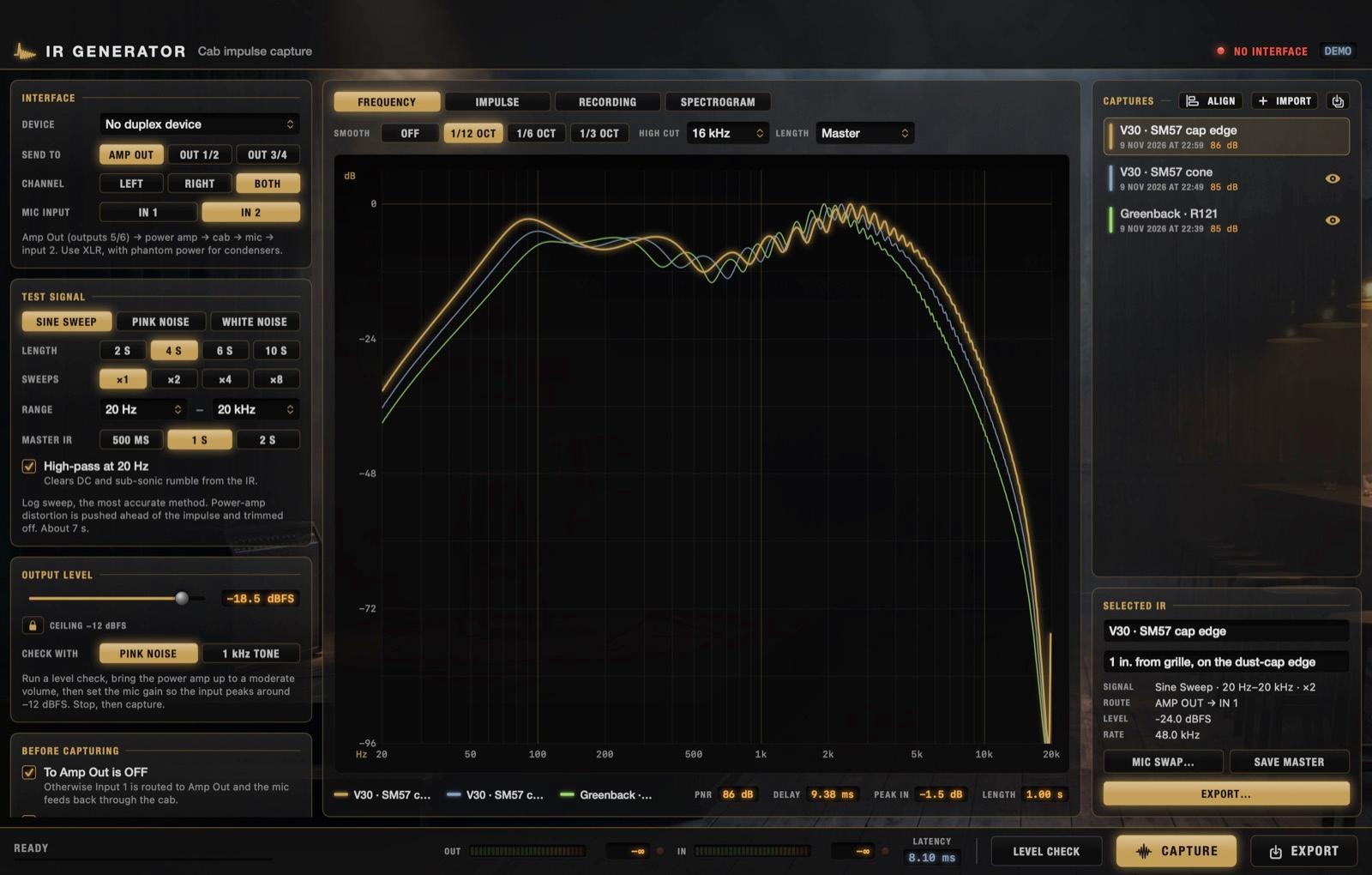
Shown with simulated demo captures.
Capture
Capture your own cab
- ◆Drives a power amp from the interface's Amp Out, records the cab through a mic, and deconvolves the recording into an impulse response.
- ◆Log sine sweep, or periodic pink or white noise, averaged over several runs, with sample-accurate playback and recording.
- ◆A level check and a safety checklist come first, and the output is capped until you unlock it.
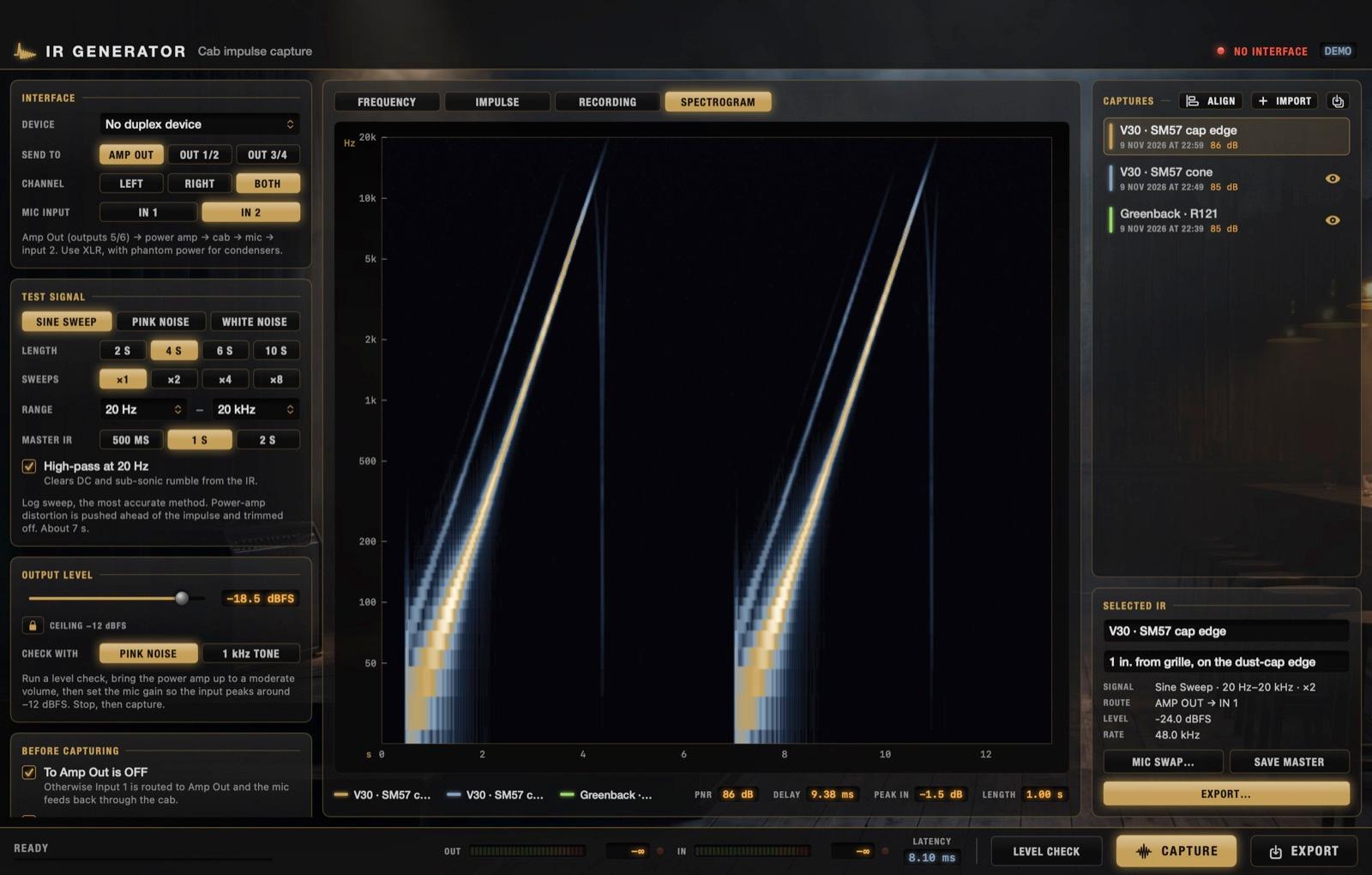
- ◆Frequency, impulse, raw recording and spectrogram views show exactly what was captured.
Align & Blend
Blend several mics without comb filtering
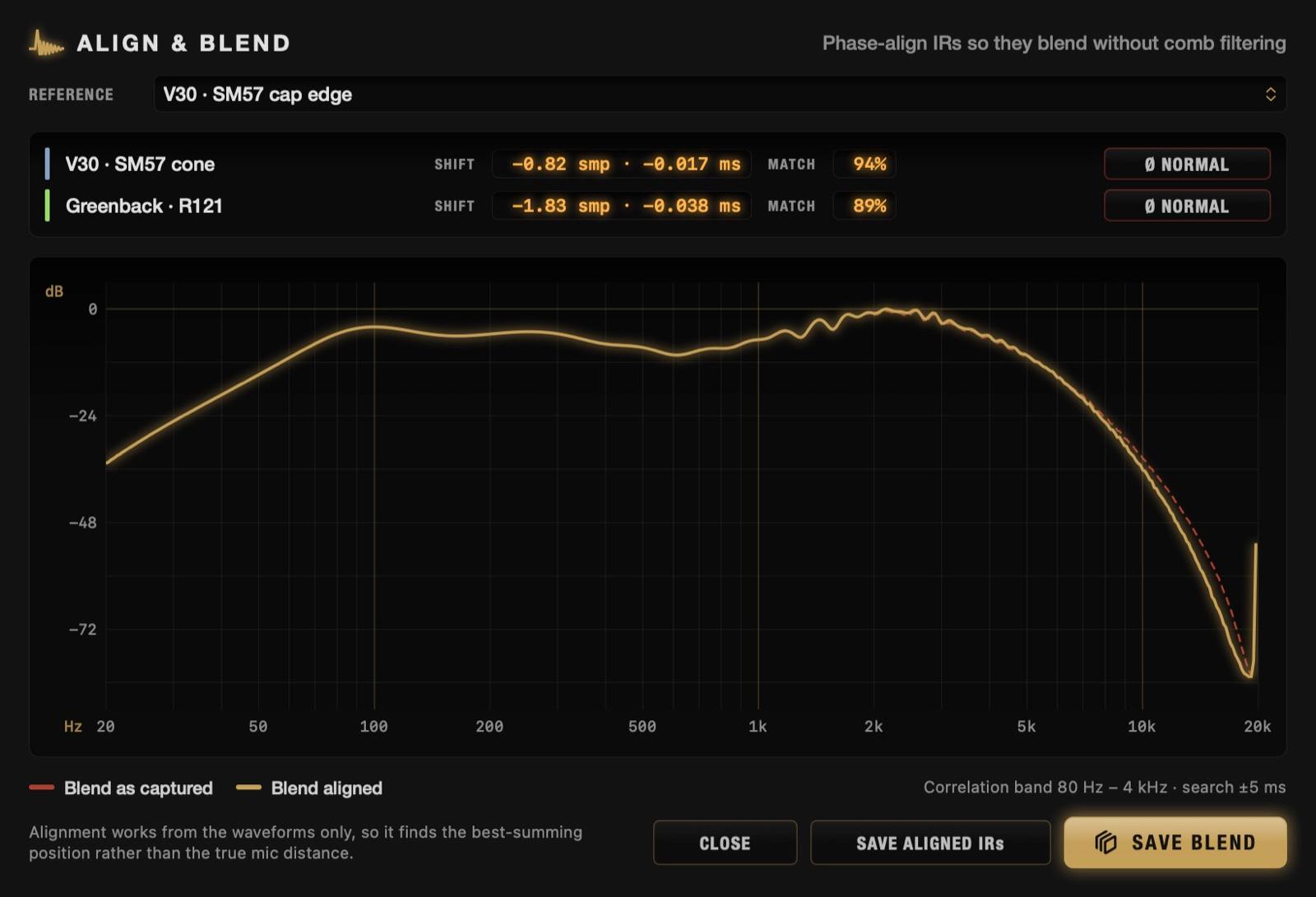
- ◆Phase-aligns several mics to a fraction of a sample.
- ◆Detects an inverted mic, such as a ribbon or rear mic, and can flip it.
- ◆Preview the blend with a mix slider, then save the result as a new capture.
Mic Swap
Remove the mic, or re-voice it
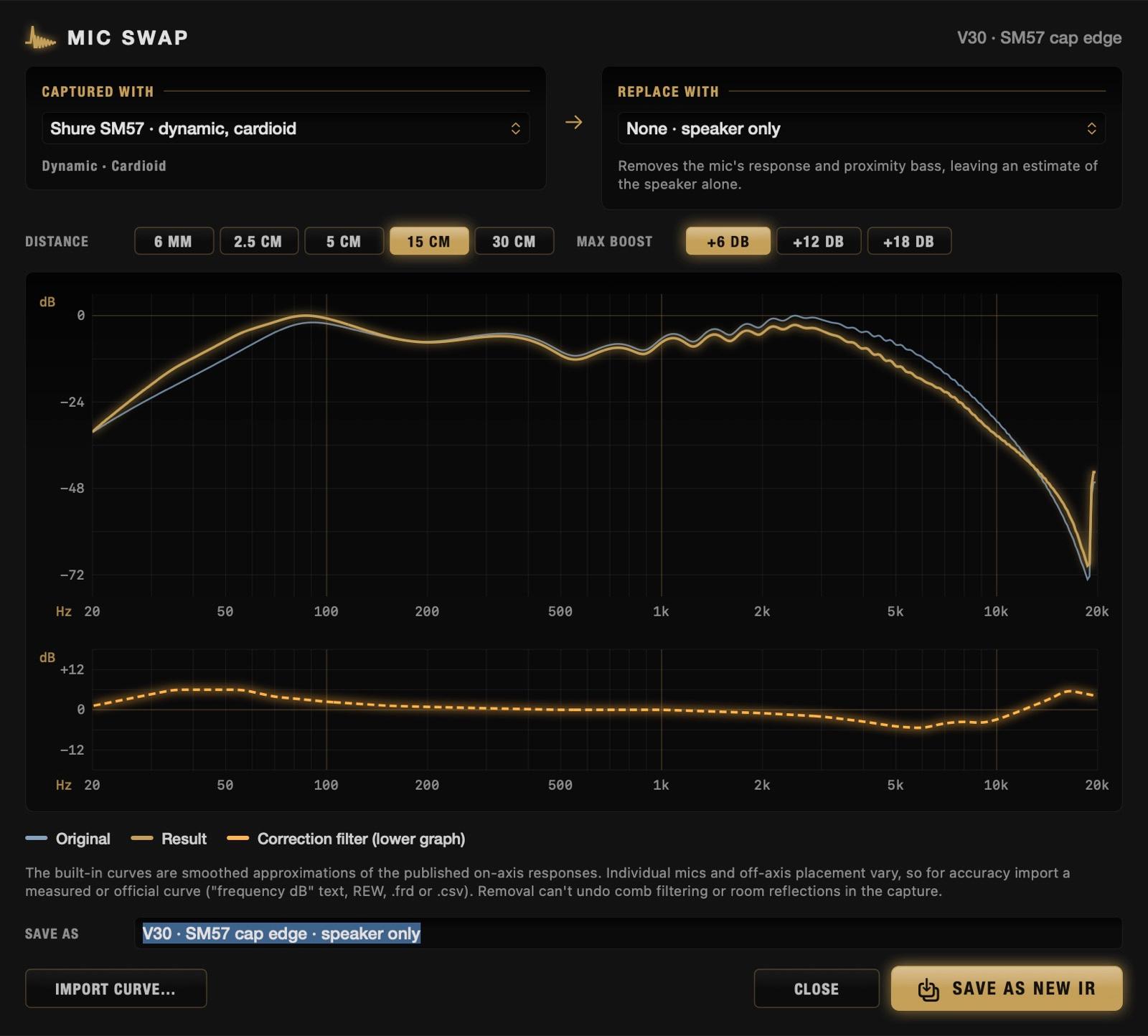
- ◆Removes the capture mic's colouration to leave the speaker, or re-voices the IR as another mic.
- ◆Built-in approximate curves for common dynamic, ribbon and condenser mics, or import a measured response.
- ◆An estimate, not magic: off-axis colouration and room reflections stay in the capture.
Export
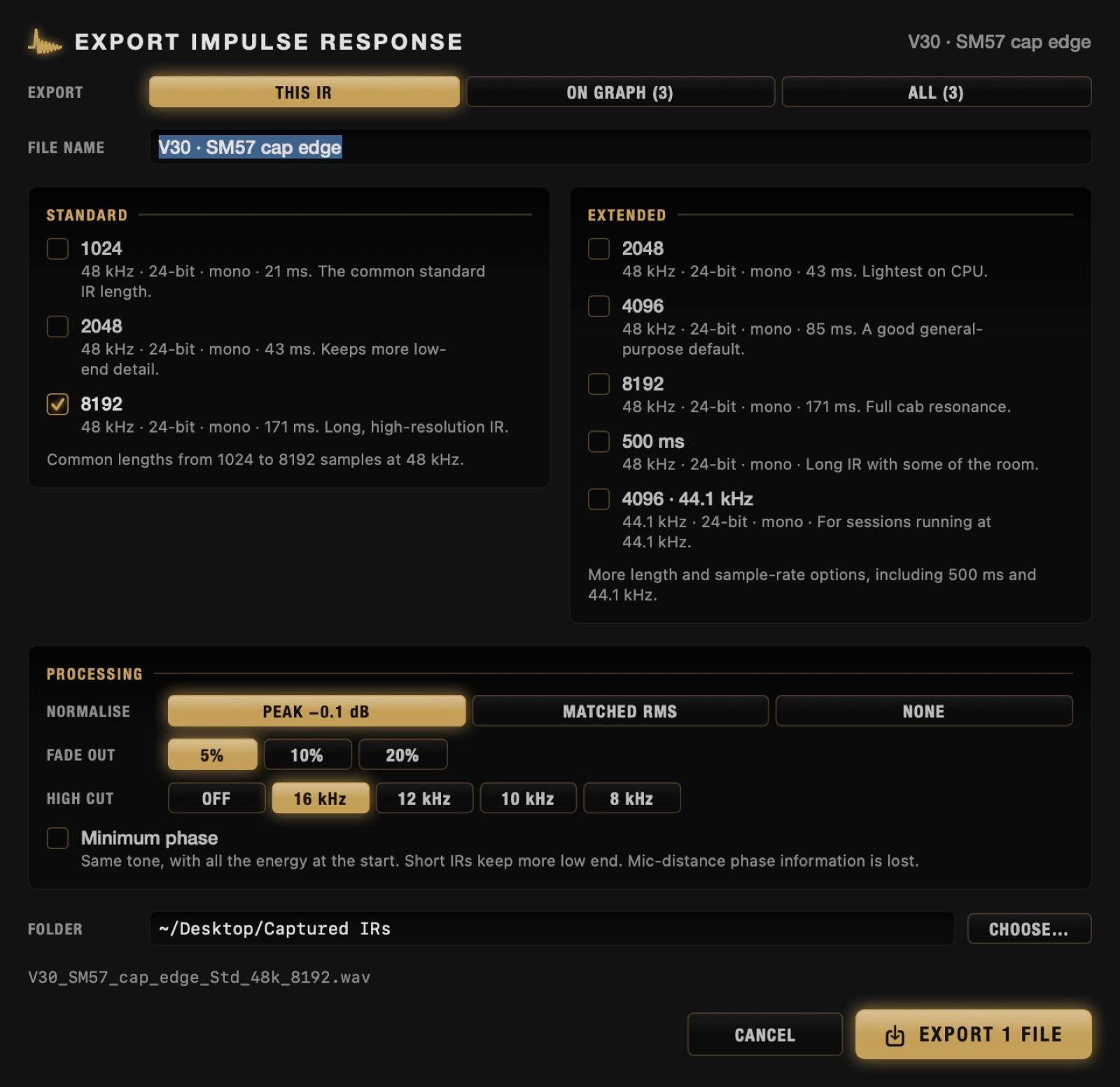
Standard WAV files, in the lengths you need
- ◆Impulse responses are a standard format, so the 24-bit mono WAV files work in any device or plug-in that loads IRs. The app is simply tuned to how I use them.
- ◆One-click length presets from 1024 to 8192 samples, or 500 ms, at 48 or 44.1 kHz.
- ◆Batch export one IR, the ones on the graph, or the whole library.
- ◆Normalisation, fade-out, minimum phase and a high cut to tame fizz from high-gain amps.
- ◆The library keeps the raw recording, so any IR can be re-processed or re-exported at another length later.
Free and open source
Get IR Generator
Released under the MIT licence. Runs on macOS 14 or later on Apple silicon, and builds from source with the Swift command line tools. You need an IK Multimedia AXE I/O (other Core Audio duplex interfaces work with their line outputs), a power amp, a cab and a mic.
- Download or clone the project from GitHub.
- In Terminal, in the project folder, run
./scripts/build-app.sh --install. - Allow microphone access the first time, so macOS lets the app read the interface inputs.
- Read the manual for the wiring and the capture steps before connecting a power amp.
This project is not affiliated with or endorsed by IK Multimedia. Product and microphone names are used only to identify compatibility and response curves. Take care when driving a power amp: always connect a cab load first.